MCPs Explained: Build AI Tools the Safe, Practical Way
A practical developer tutorial on Model Context Protocol: what MCP is, how hosts/clients/servers fit together, how to build a tiny server, and what to lock down before giving AI access to real tools.

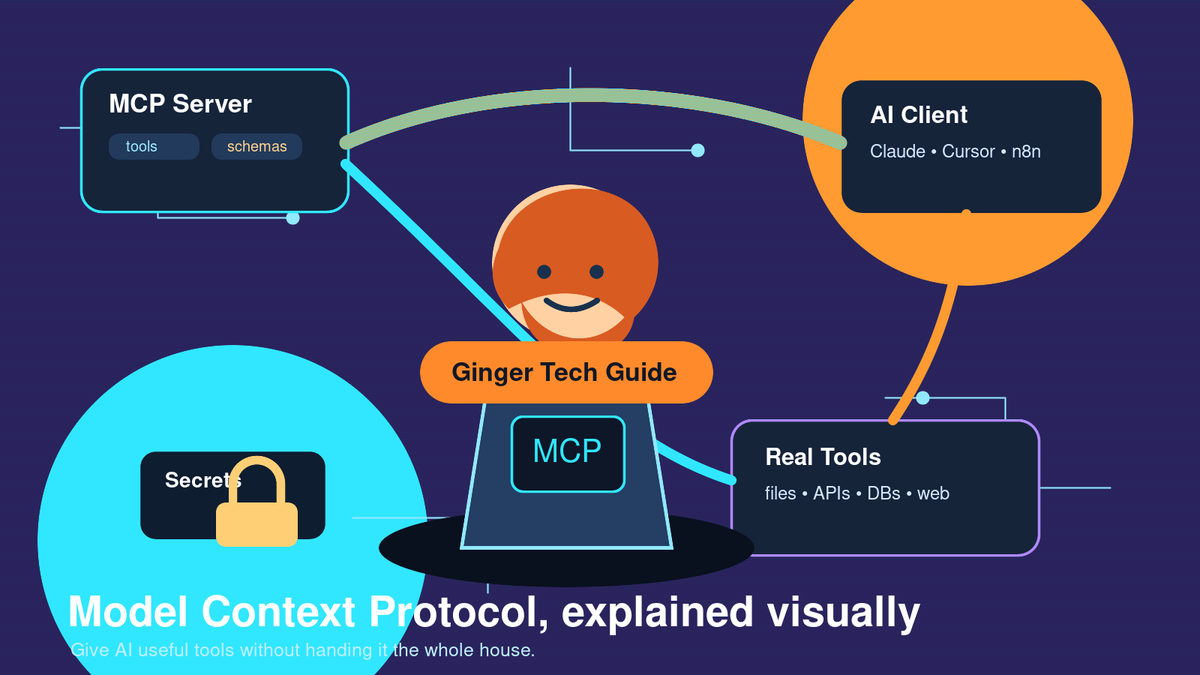
Model Context Protocol — usually shortened to MCP — is one of the most practical ideas in AI tooling right now. It gives AI apps a standard way to connect to tools, files, APIs, databases, and workflows without every developer inventing a custom integration from scratch.
If you watched NetworkChuck’s video, “you need to learn MCP RIGHT NOW!! (Model Context Protocol)” (https://www.youtube.com/watch?v=GuTcle5edjk), you saw the exciting version: Claude talking to Obsidian, Docker-managed MCP servers, local models, Cursor, YouTube transcripts, n8n, and even a Kali lab. This article slows that down and turns it into a practical tutorial you can use safely.
What problem does MCP solve?
Large language models are great at reasoning over text, but by themselves they are isolated. They do not automatically know what is in your local notes, your company database, your task manager, your file system, your GitHub repository, or your internal business tools.
You can connect those systems with APIs, but every API has its own authentication, endpoints, schemas, rate limits, and edge cases. That leads to a pile of one-off glue code.
- Without MCP: every AI client needs custom code for every tool or API.
- With MCP: a tool owner exposes capabilities through an MCP server.
- The AI client discovers those tools and calls them through a shared protocol.
- The server handles authentication, validation, API calls, and messy implementation details.
The official MCP docs compare MCP to USB-C for AI applications (https://modelcontextprotocol.io/docs/getting-started/intro): a standard port for connecting AI apps to external systems. That analogy is good. The AI does not need to understand every device in the world; it needs a reliable way to discover what is available and ask for the right action.
MCP architecture in plain English
MCP uses a few important pieces:
- MCP host: the app the human uses, such as Claude Desktop, Cursor, VS Code, ChatGPT integrations, or an automation platform.
- MCP client: the component inside that host that speaks MCP.
- MCP server: a small program that exposes tools, resources, or prompts.
- External system: the real thing being accessed — a database, API, file system, browser, calendar, search engine, smart home system, or internal service.
Here is a simple example:
You ask an AI assistant: “Create a project note from this meeting.” The AI chooses a tool exposed by your notes MCP server, sends structured arguments like a title and body, the server writes the note through the real notes API or file system, and the result comes back to the chat.
The model does not need to memorize the API documentation. It only needs to understand the tool name, description, input schema, and result.
What NetworkChuck demonstrates well
NetworkChuck’s MCP tutorial is useful because it makes the concept feel concrete. He shows several patterns that developers should pay attention to:
- Docker can simplify local MCP servers. Packaging a server in a container makes it easier to run consistently.
- Secrets belong outside the prompt. API keys should live in environment variables, Docker secrets, or a proper secret manager.
- Local and remote servers differ. Local MCP servers often communicate through standard input/output; remote servers need network transport, authentication, HTTPS, logging, and monitoring.
- Gateways are powerful. A gateway can aggregate multiple MCP servers behind one connection, which is especially useful for tools like n8n and homelab automation.
- Power requires guardrails. Anything that can run commands, write files, scan networks, deploy apps, or modify production data needs strict boundaries.
The takeaway is not “give AI access to everything.” The takeaway is: expose specific tools with clear contracts, then protect those tools like production infrastructure.
Mini tutorial: build your first MCP server
The best first MCP project is intentionally boring. Do not start by giving an AI shell access or production credentials. Start with one safe, narrow capability.
Step 1 — Pick one safe capability
Choose a tool that is useful but low-risk:
- Create a draft markdown note
- Search a read-only folder
- Look up a read-only customer record
- Create a draft task
- Summarize a local text file
Before writing code, define what the tool is allowed to do and what it is not allowed to do.
Step 2 — Define the tool contract
Every tool needs a contract. For a note tool, it might look like this:
create_note(
  title: string,
  body: string,
  tags: string[]
) -> {
  path: string,
  created: boolean
}
That contract should include:
- A clear name
- A plain-language description
- Input fields and validation rules
- A structured result
- Explicit error behavior
The clearer the contract, the more reliably the model can use the tool.
Step 3 — Implement the server
Use an MCP SDK and expose one tool first. Keep the real logic inside the server, not in the prompt. If the tool talks to an API, the API key should be loaded from an environment variable or secret manager. If the tool writes files, restrict it to one approved directory. If it talks to a database, start read-only.
A server should validate input before it touches the external system. For example:
- Reject empty titles
- Limit body length
- Normalize file names
- Prevent path traversal like ../../secret.txt
- Return a helpful error if validation fails
Step 4 — Connect a client
Connect your MCP server to an MCP-aware client. Depending on your setup, that client might launch a local command, connect to a local Docker container, or call a remote MCP endpoint.
After connecting it, inspect the available tools. Do not trust a tool just because it appears in the client. Read the descriptions and make sure the server is exposing exactly what you intended.
Step 5 — Test boring prompts first
Start with predictable prompts:
Create a note titled “MCP Test” with the body “hello world.”
Then test failure cases:
- Missing title
- Very long body
- Duplicate note name
- Invalid tags
- Permission failure
A good MCP server should fail safely and explain what happened.
Security checklist before using MCP seriously
MCP is a protocol, not a magic safety layer. Treat MCP servers like real infrastructure.
- Use least privilege. Give the MCP server only the permissions it needs.
- Constrain file access. Never casually expose an entire home directory.
- Keep secrets out of prompts. API keys do not belong in chat messages, screenshots, blog posts, or source control.
- Require confirmation for destructive actions. Deletes, payments, deployments, database writes, and shell commands should have approval gates.
- Log tool calls. Record who invoked the tool, arguments, and results.
- Watch for prompt injection. Tool descriptions and external data can contain malicious instructions. Treat them as untrusted input.
- Secure remote servers. Use HTTPS, authentication, rate limits, monitoring, and clear ownership.
Good MCP use cases
Here are some practical places MCP shines:
- Personal knowledge bases: search notes, create summaries, append research, and draft new entries.
- Developer workflows: inspect repositories, open issues, summarize CI, and run safe checks.
- Business reporting: query approved datasets and create dashboards or summaries.
- Homelab automation: inspect service health, manage web apps, and trigger maintenance workflows.
- Productivity: draft emails, create tasks, update docs, and schedule events with approval.
The big idea
MCP does not magically make AI correct, safe, or production-ready. What it does is give developers a standard way to make AI useful: expose tools with clear contracts, keep credentials on the server side, validate inputs, and return structured results.
That standardization is why MCP matters. Once you understand the pattern, you can connect AI to almost anything — but you should connect it deliberately.
Sources and further watching
- NetworkChuck — “you need to learn MCP RIGHT NOW!! (Model Context Protocol)” (https://www.youtube.com/watch?v=GuTcle5edjk)
- Official MCP docs — “What is the Model Context Protocol?” (https://modelcontextprotocol.io/docs/getting-started/intro)
- Anthropic — “Introducing the Model Context Protocol” (https://www.anthropic.com/news/model-context-protocol)